DE10-Nano: Running standalone applications on U-Boot
Introduction
A bare-metal C source code will build (compile+link) to produce an elf executable file, which can run standalone without an OS. The application can be loaded into memory and executed directly from U-Boot on the DE10-Nano board. We can also run it using Altera's MPL (Minimal Preloader) example, but that has been removed from their EDS (Embedded Development Suite).
Converting the elf to a loadable format
In older versions of U-Boot there was support for loading and booting elf file (32-bit only) directly, but that feature was been removed from newer versions. Currently, the only way to load a standalone application from U-Boot is to convert the elf into a loadable file format. There are two options:
A. Convert elf to binary file using arm-none-eabi-objcopy (GCC for Arm toolchain tool):
arm-none-eabi-objcopy -O binary helloworld.elf helloworld.bin
B. Convert elf to U-Boot image file using mkimage (U-Boot tool), but first we need to convert to binary using option A:
                            arm-none-eabi-objcopy -O binary helloworld.elf helloworld.bin

                            mkimage -A arm -O u-boot -T standalone -C none -a 0x1000 -e 0x1430 -n "helloworld" -d helloworld.bin helloworld.uimg
The mkimage also requires the address of the load and entry point of the application, to get these use:
arm-none-eabi-readelf -l Release/helloworld.elf
The load address is the virtual address of the first LOAD section, see example:
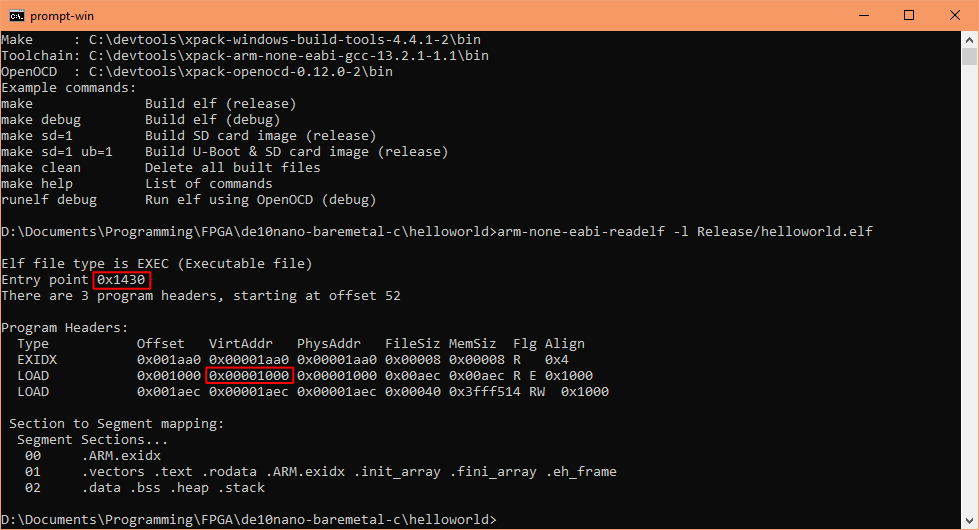
Loading and running a binary from U-Boot
Load and run a binary
At the U-Boot console, you can load a binary file into memory. The fatload command can read from a FAT partition on the SD card. You must supply the correct load address of the application, as an example:
fatload mmc 0:1 0x1000 helloworld.bin
Then to execute it, you use the go command and supply the jump address, which is normally the entry point address of the application:
go 0x1430
Note: If the application contains a valid vector/exception table, and the load address points to it (i.e. vector table at the beginning of the program code), then you may instead specify the load address with the go command. For example, my example program has a valid vector table at its load address, so you can instead enter:
go 0x1000
If there isn't valid code at the load address then that would normally cause a hard fault exception, and since U-Boot SPL enabled the watchdog the system will automatically reset upon the watchdog count down.
Load and run an image
Alternatively, you can load a U-Boot image, for example:
fatload mmc 0:1 ${loadaddr} helloworld.uimg
Note, for an image, the supplied load address will be a temporary buffer address, you may use any unused address with enough space. You may even use the application's load address. For convenience we will use a preset U-Boot variable, containing an unused location.
Then to execute, use the bootm command, supplying the same address as the fatload, for example:
                            setenv autostart y

                            bootm ${loadaddr}
Note, we also need to set the autostart variable to y, which indicates to bootm it should execute the image. The bootm command will first decompress the image (if compressed), place the application to the stored load address (load address you supplied to mkimage), then if autostart is y, it will jump to the stored entry address (entry address you supplied to mkimage).
Exiting back to U-Boot console
There is not much information on this subject for modern systems, I have found two U-Boot information, but they provide insufficient details:
My findings
The following information was found through my own experiments:- An application can exit (return) back to the U-Boot console, providing it does not modify memory used by U-Boot, change base address of system stack pointer, and change the exception table
- If you must change them then restore them before exiting (returning back to U-Boot)
- Note, Newlib's _startup() or _mainCRTStartup() function will modify the stack pointers
- Commandline parameters can be passed to the application, and on exit, the return code is read by U-Boot
A modern example
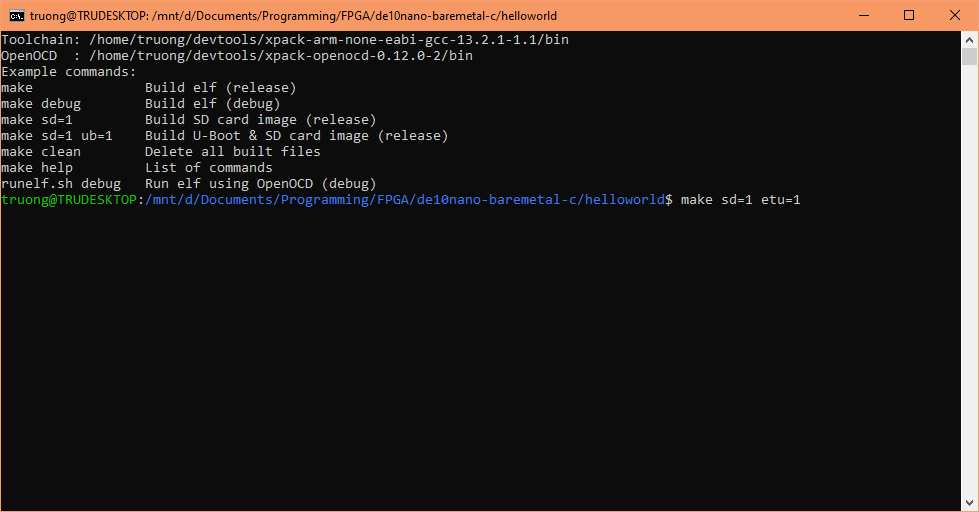
I've added etu (exit to U-Boot) option into my revised "Hello, World!" example. Download and build it on WSL or Linux with these parameters:
make sd=1 etu=1
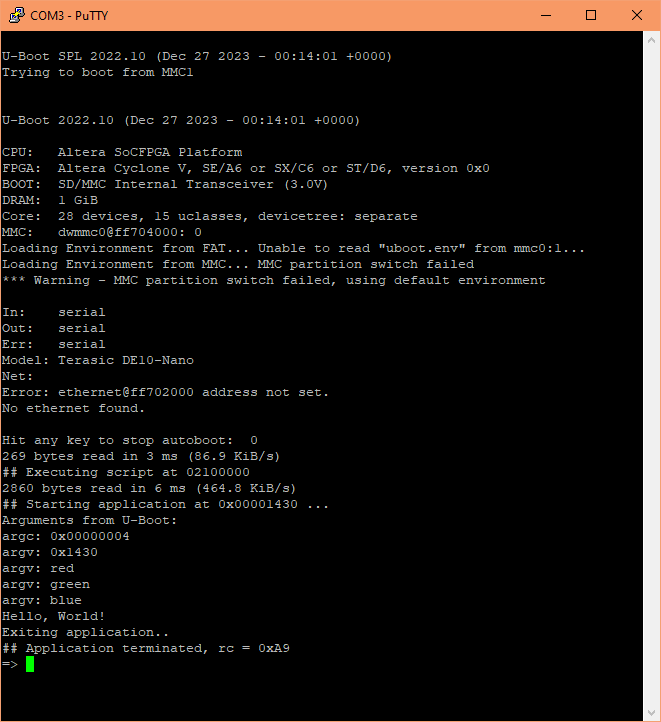
The output shows the application has received the commandline parameters and displays them. These parameters are from the U-Boot script on the SD card image: entry address, red, green and blue. The following line is the hello message, and then it exits with return code of 0xA9, which U-Boot receives and displays.
The application is still in memory - as an excercise we will rerun it, but passing in a different set of parameters. Enter this into PuTTY (U-Boot console):
go 0x1430 jan feb mar
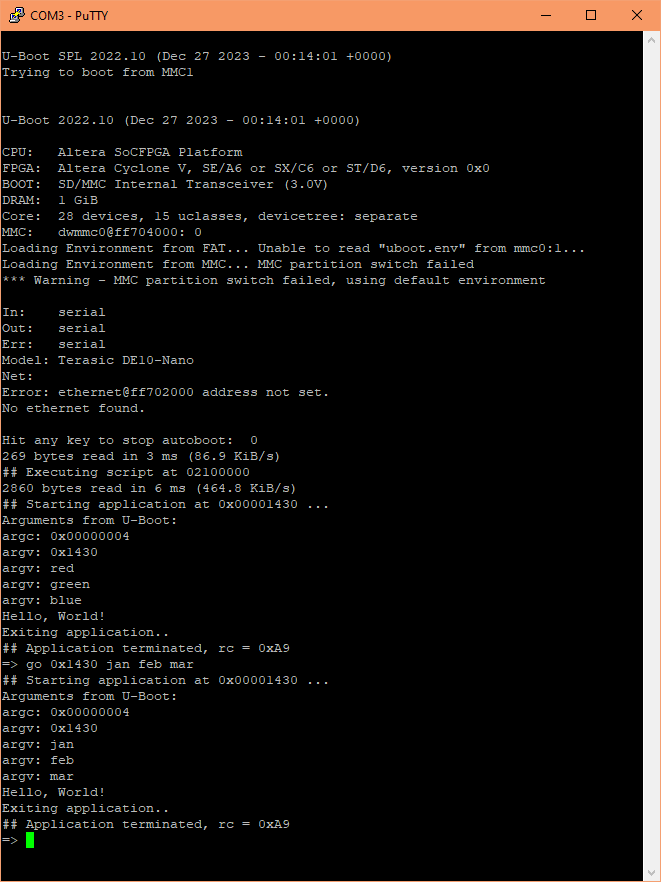
Changing makefile's U-Boot script commandline parameters
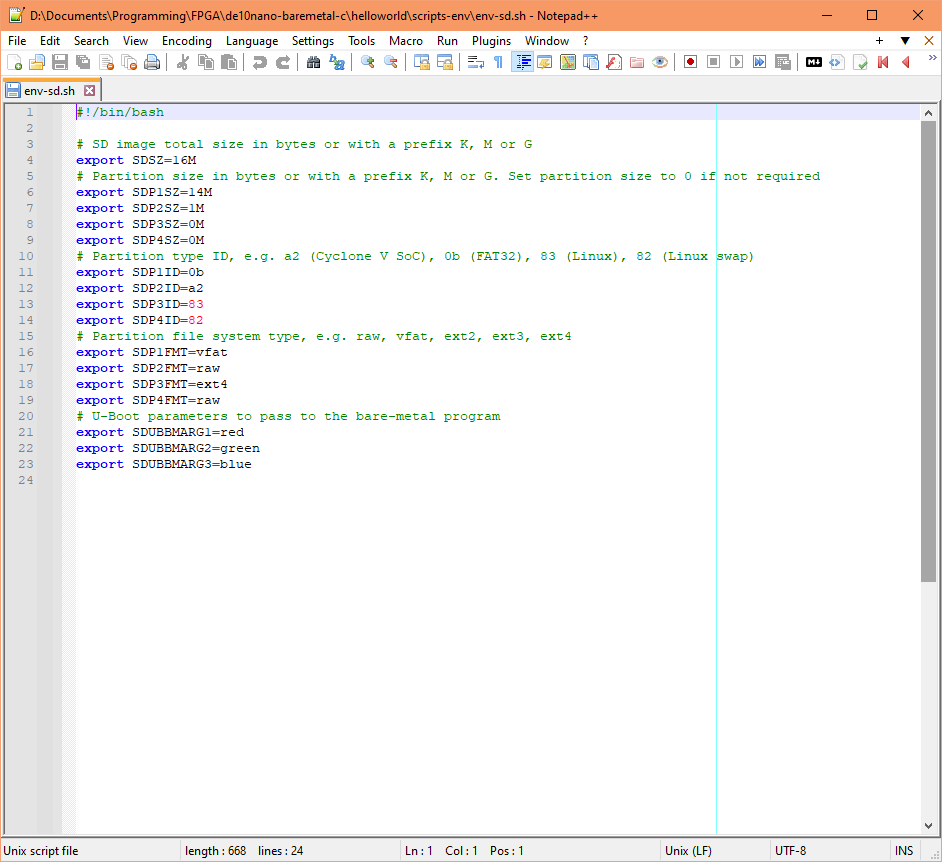
My makefile reads the parameters from the settings text file: script-env/env-sd.sh. The settings are used to generate part of the U-Boot script. You may edit this file with your chosen parameters.
Document date: Rev 1: 08 Jan 2024